
01Set Up
Hi, I Make Music Videos.
Upload a song, describe the vibe, and HayNo will help shape the shots, generate the clips, and finish the cut.
Built On The Models Shaping The Best AI Video Work.





Song To Video In 3 Steps.
Upload your music, let hayno build the shots, then review the sequence in Editor before you export. The whole process stays in one workspace.
Song To Video In 3 Steps.
Upload your music, let hayno build the shots, then review the sequence in Editor before you export. The whole process stays in one workspace.
Upload A Track And Describe The Visual Direction.
01Set Up
02Generate
03Edit & Export
AI Music Video Generation, From Song To Final Cut.
Upload music, shape the visual direction, generate clips, then refine the final video in Editor.
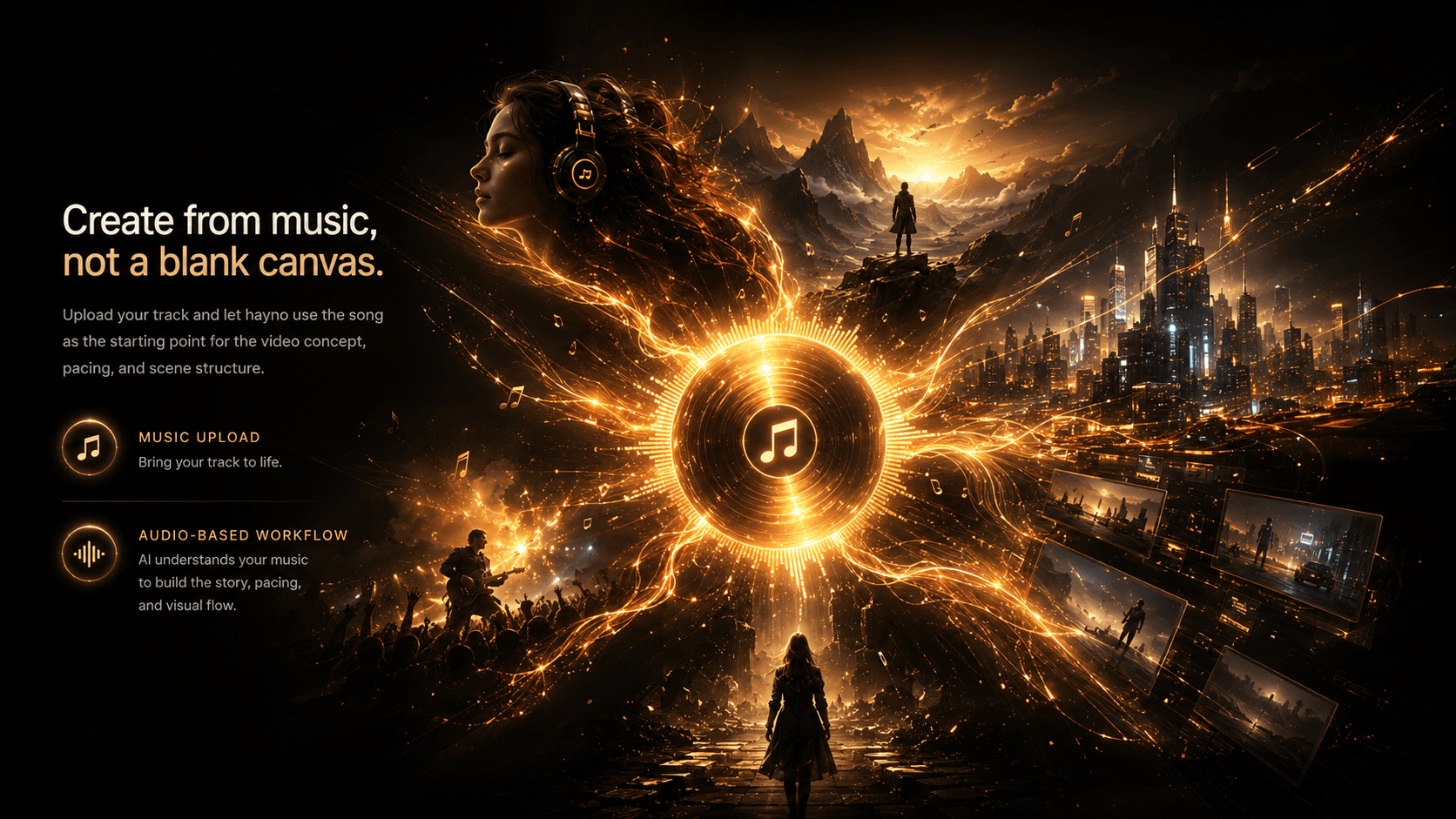
Create From Music, Not A Blank Canvas.
Upload your track and let hayno use the song as the starting point for the video concept, pacing, and scene structure.
- music upload
- audio-based workflow
- song-to-video

Guide The AI With A Clear Visual Direction.
Describe the mood, story, setting, characters, and references you want. hayno turns your creative brief into a music video plan.
- visual prompt
- creative brief
- character reference
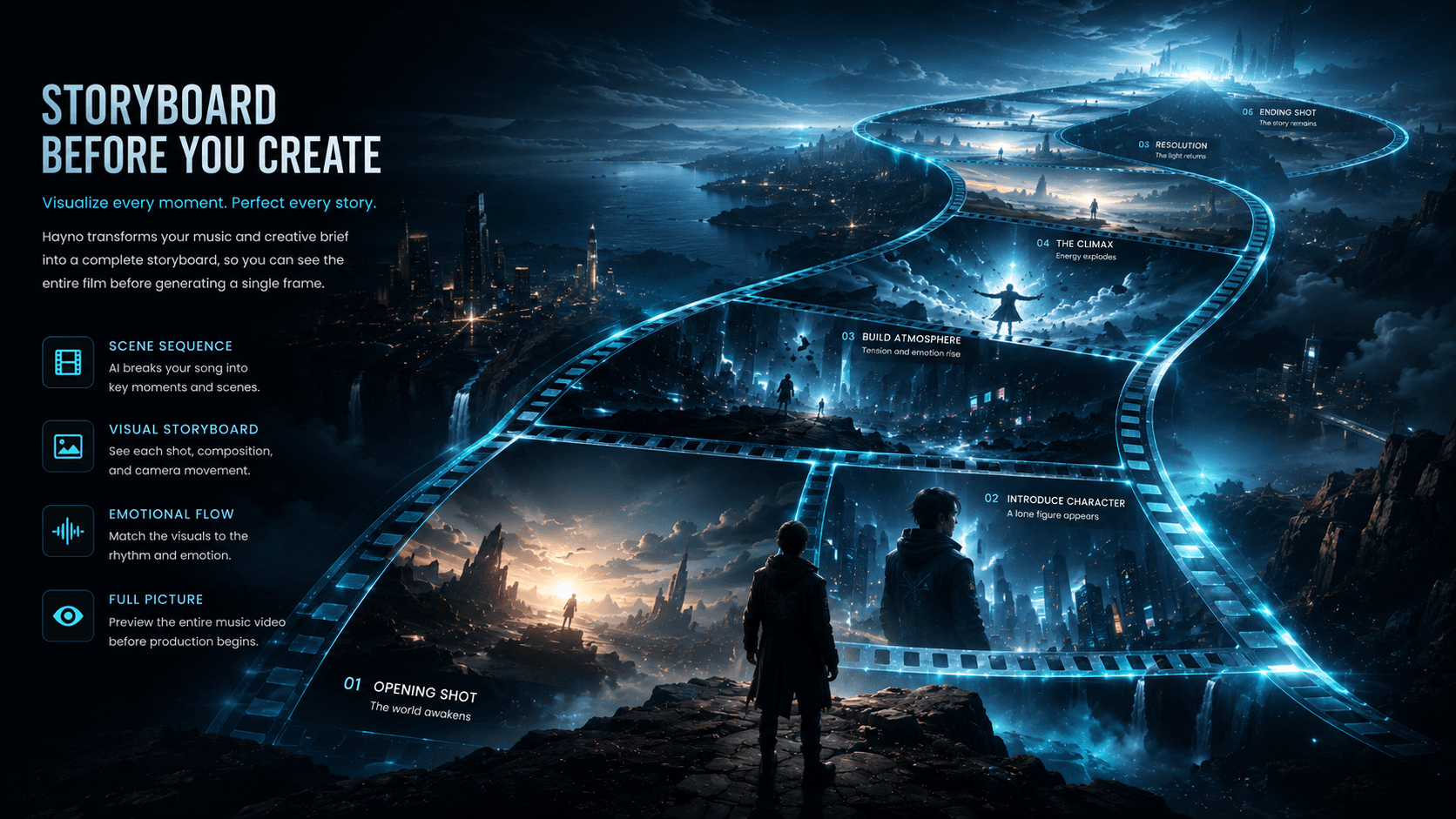
Generate A Storyboard Before Making Video Clips.
hayno breaks the music video into readable shots so you can review the sequence before committing to full AI video generation.
- AI storyboard
- shot planning
- scene sequence
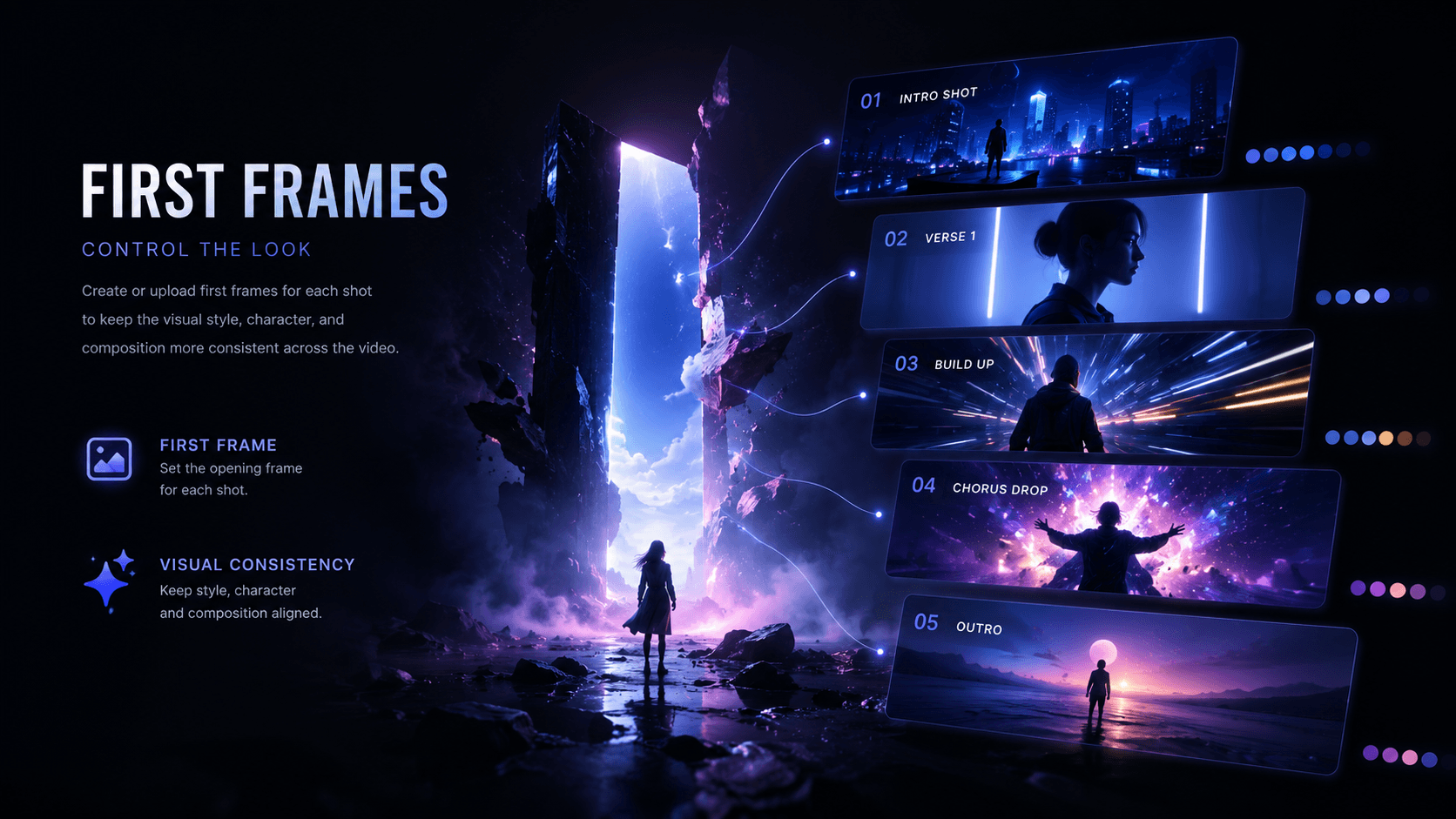
Control The Look With First Frames.
Create or upload first frames for each shot to keep the visual style, character, and composition more consistent across the video.
- first frame
- visual consistency
- shot control
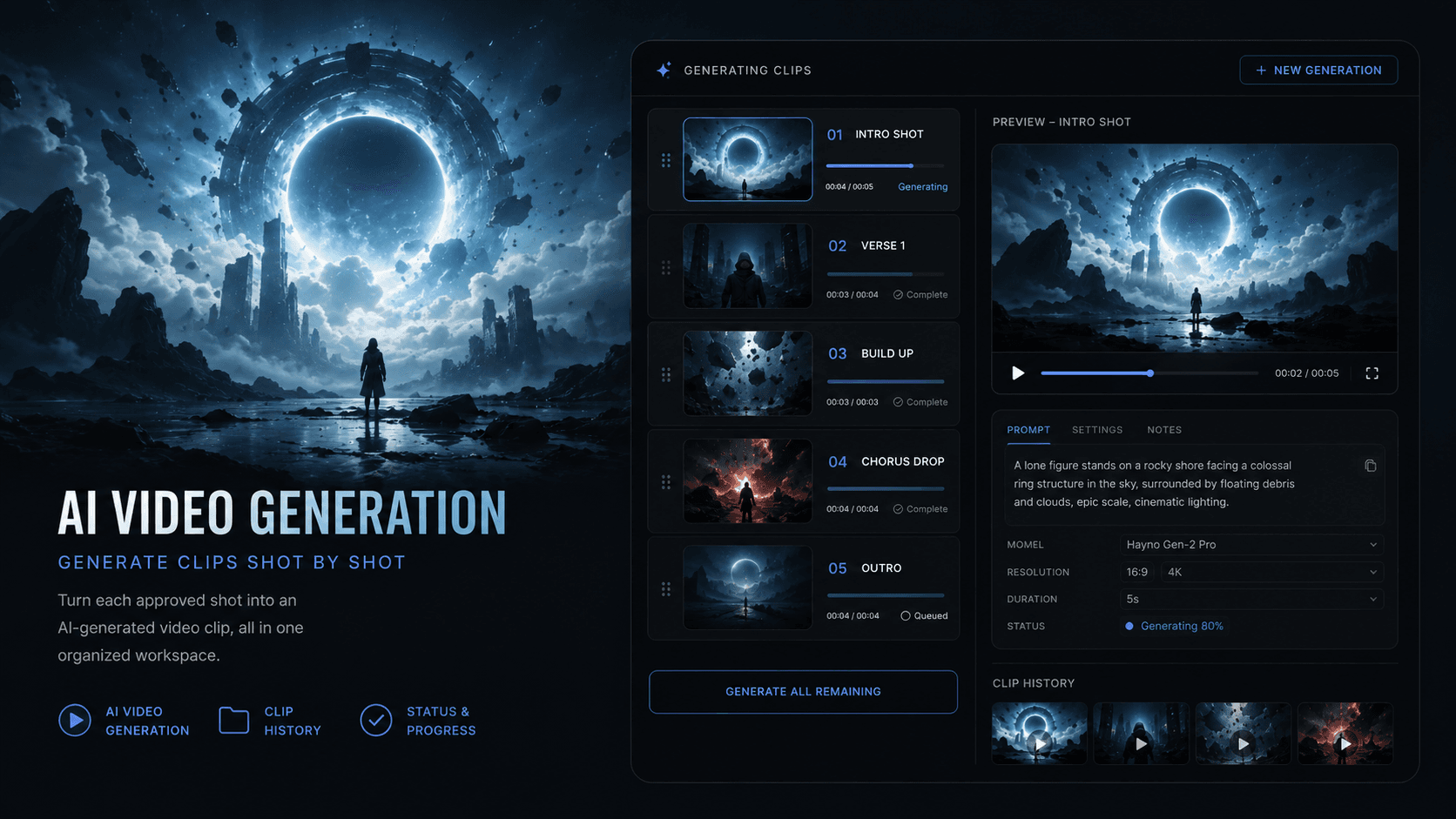
Generate Video Clips Shot By Shot.
Turn each approved shot into an AI-generated video clip while keeping prompts, status, model choices, and history organized in one workspace.
- AI video generation
- clip history
- model control
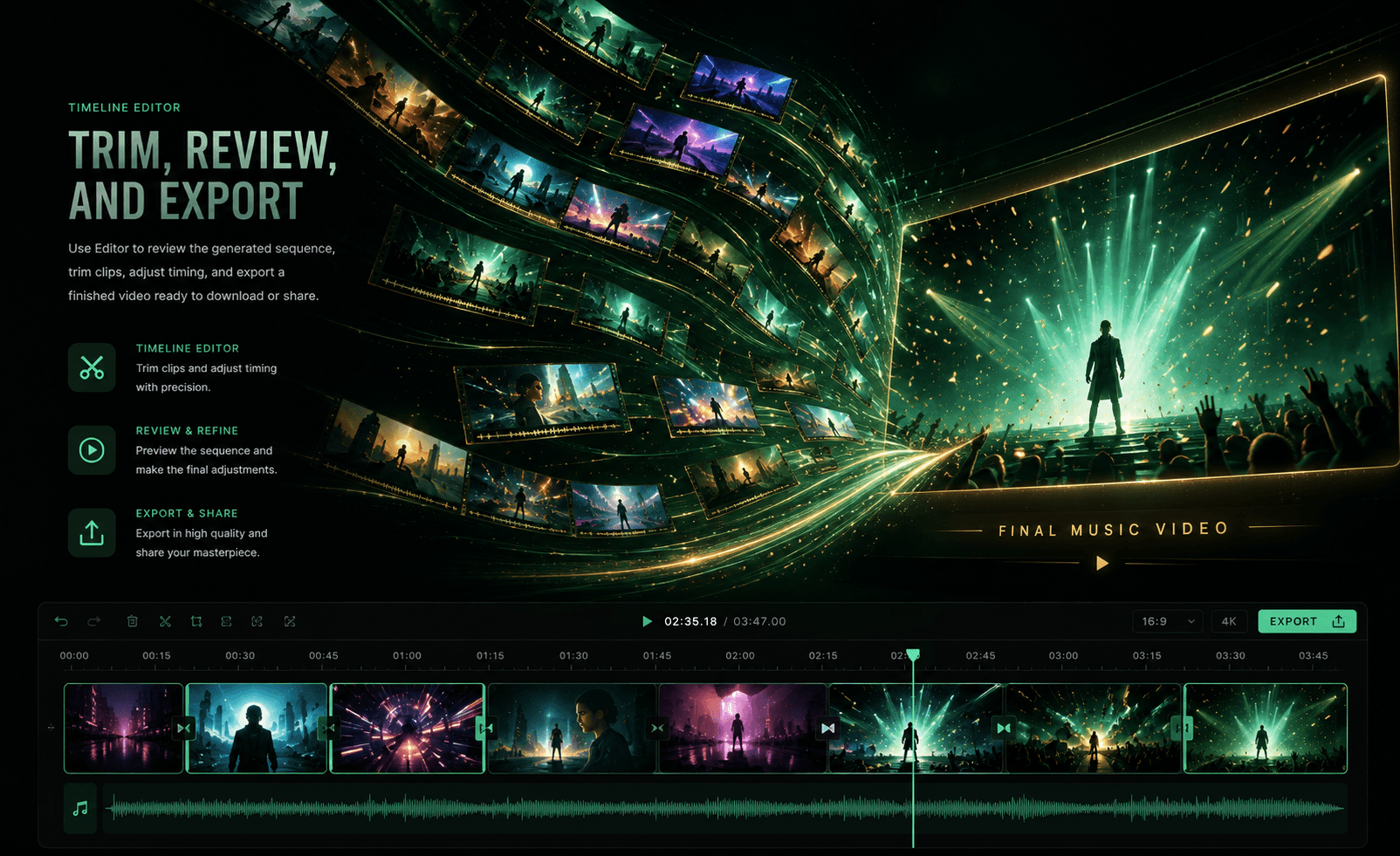
Trim, Review, And Export The Final Music Video.
Use Editor to review the generated sequence, trim clips, adjust timing, and export a finished video ready to download or share.
- timeline editor
- clip trimming
- final export
Who Is HayNo For?
For music people, content teams, and AI video makers who want stronger visuals without a messy production stack.
Independent Musicians & Artists
For artists who want music videos, visualizers, and release assets without hiring a full production team for every track.
Content Creators & Influencers
For creators who need eye-catching video content for songs, remixes, edits, and social posts that stand out in the feed.

Record Labels & Music Teams
For teams that need more visual output around every release, from teaser clips to full music video concepts, while keeping quality consistent.
Creative Studios & Agencies
For studios that want to pitch music video ideas faster, explore visual directions, and turn client briefs into generated sequences.

AI Video Makers & Experimenters
For people exploring AI video workflows who want a structured way to move from prompt to storyboard, clips, editing, and export.

A Simpler Way To Create AI Music Videos
Upload Your Song
Start with a track, not a blank canvas. HayNo uses your music as the foundation for pacing, structure, and visual direction.
Describe The Vibe
Add a short idea, mood, story, character, or reference. No production brief required, just enough for HayNo to understand the world you want.
Generate The Plan
HayNo turns your song and direction into a clear music video structure, including scenes, shots, and prompts you can review.
Create First Frames
Generate or upload key frames for each shot so the look, character, and composition stay more consistent before video generation.
Make Video Clips
Turn approved shots into AI-generated video clips, one section at a time, with model choices and generation history kept in the workspace.
Edit In One Place
Review the sequence, trim clips, adjust timing, add subtitles, and prepare the final cut without jumping between scattered tools.
Regenerate Anytime
If a frame or clip does not feel right, replace it, regenerate it, or try another direction without restarting the whole project.
Export And Share
Finish the music video in the format you need, then download it for release, social posts, teasers, or client review.
Chosen By Creators Making Music Videos With Less Friction
Artists, teams, and video makers use HayNo to turn songs into stronger visual ideas, generated clips, and finished cuts without rebuilding the workflow every time.
OR
Olivia Roberts
Independent artist
AI Music Video Generator
A Full Video Idea In One Afternoon
I used to stop at the moodboard stage because the workflow felt too big. HayNo helped me turn one track into scenes, first frames, and clips without losing the original feeling of the song.
MC
Marcus Chen
Music producer
AI Music Video Generator
The Song Finally Drives The Visuals
What impressed me most is how naturally the pacing follows the music. I uploaded a demo, added a short direction, and the storyboard already felt close to what I would pitch to an artist.
LM
Lina Morales
Content strategist
AI Music Video Generator
No Messy Tool Chain
Our team was jumping between generators, docs, downloads, and editors. HayNo keeps the plan, clips, revisions, and export path together, which makes the whole process much easier to manage.
EB
Ethan Brooks
Video editor
AI Music Video Generator
Easy To Revise Without Starting Over
The best part is being able to regenerate a frame or clip while keeping the rest of the sequence intact. It feels like an actual creative workflow instead of a pile of random generations.
SN
Sofia Nguyen
Label marketing lead
AI Music Video Generator
Faster Release Assets
For single rollouts, we need teasers, visual loops, and full video concepts quickly. HayNo gives us a structured way to explore ideas and turn the strongest ones into usable video assets.
JB
Jordan Blake
Creative director
AI Music Video Generator
Better First Drafts
The first pass is surprisingly useful. Even when we change the direction, HayNo gives us a clear visual starting point instead of a blank page and a long prompt document.
MP
Maya Patel
Singer-songwriter
AI Music Video Generator
I Did Not Need A Production Vocabulary
I described the emotion, a few colors, and the kind of character I imagined. HayNo translated that into shots I could understand and refine, even without knowing film terminology.
NW
Noah Williams
Social video creator
AI Music Video Generator
Perfect For Short-Form Cuts
I can create a larger music video direction and still pull clips that work for vertical teasers. It saves time because the visuals feel connected instead of looking like separate experiments.
AT
Ava Thompson
Visual artist
AI Music Video Generator
More Control Over Consistency
First frames made a big difference. I could lock the look of important shots before generating video, so the final sequence felt more intentional and less random.
LM
Leo Martinez
DJ and live performer
AI Music Video Generator
Great For Performance Visuals
I needed visuals that matched the energy of my set, not a polished film crew workflow. HayNo made it simple to build motion pieces from the track and test variations quickly.
NS
Nora Stein
Agency producer
AI Music Video Generator
A Cleaner Client Review Process
Clients understand the project faster when we can show scenes, frames, and clips in order. HayNo makes the concept feel concrete before we commit to a final edit.
DA
Diego Alvarez
Indie label founder
AI Music Video Generator
Big Idea, Smaller Team
We do not have a full video department, but we still need strong visuals around every release. HayNo lets us move from music to a polished direction with a much smaller team.
CD
Claire Dubois
Motion designer
AI Music Video Generator
Useful Structure For Experimentation
I like experimenting with AI tools, but the outputs can become chaotic fast. HayNo adds just enough structure so I can explore without losing the thread of the video.
SK
Samir Khan
Artist manager
AI Music Video Generator
Clear Enough For Non-Editors
I can review the sequence, understand what each shot is doing, and give feedback without opening five different tools. That makes approvals much faster.
IM
Isabelle Moreau
Music video director
AI Music Video Generator
Strong For Early Concepting
For early direction, HayNo is excellent. It helps me test mood, pacing, shot order, and visual references before deciding which ideas deserve more production time.
FAQ
Frequently Asked Questions About HayNo
HayNo helps you create AI music videos, visualizers, teaser clips, and release assets from a song. You can start with a track, add a visual direction, generate shots and clips, then refine the final sequence in Editor.
No. You can describe the mood, story, character, or reference in plain language. HayNo turns that direction into a structured video plan with scenes, shots, first frames, and clips you can review step by step.
HayNo treats the song as the starting point for the video. The workflow is designed around pacing, structure, and visual direction so the generated sequence feels connected to the track instead of being a random set of clips.
Yes. You can guide the style with your creative brief, references, and first frames. You can also regenerate or replace specific frames and clips when a shot does not match the direction you want.
Yes. The same project can support longer music video sequences, short teasers, vertical social clips, visual loops, and rollout assets. You can create a larger direction first, then use the strongest clips for different formats.
You do not need to restart the whole project. You can regenerate a frame or clip, replace it, or try a different direction while keeping the rest of the sequence organized in the same workspace.
Yes. HayNo keeps the storyboard, first frames, video clips, history, and final sequence in one place, which makes it easier for artists, managers, labels, and creative teams to review the project and give feedback.
After clips are generated, you can review the sequence in Editor, trim timing, adjust subtitles, preview the final cut, and export the finished video for release, social posts, teasers, or client review.